Food4Thoth
🌀 RD ENGINE — Reaction-Diffusion Instrument
← Return to the RD ENGINE · Visit the FOOD4THOTH Hub
🎛️ Launch RD ENGINE 🌈 Explore FOOD4THOTH
📌 Overview
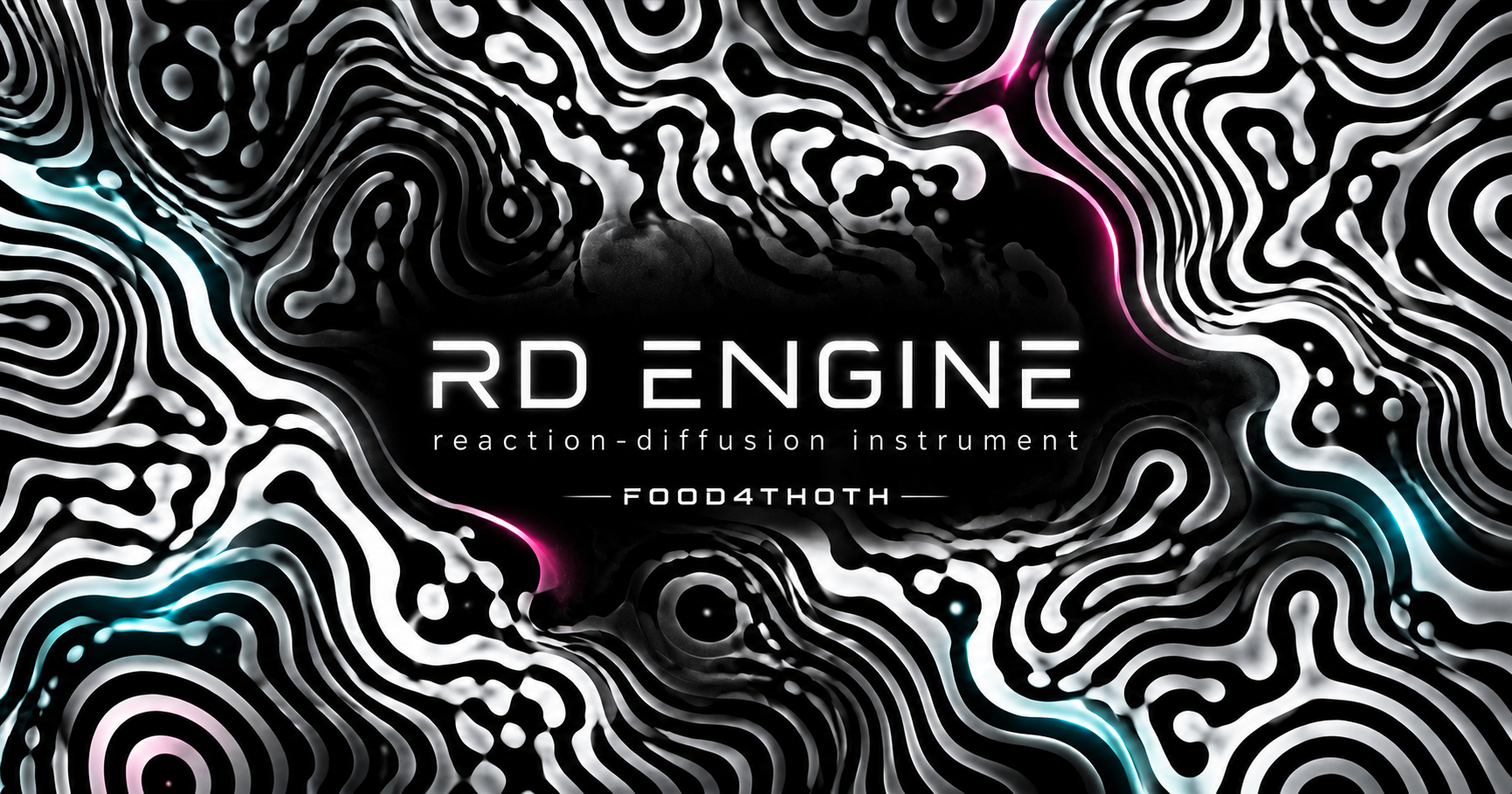
RD ENGINE is a real-time, browser-based reaction-diffusion visual instrument created by DeJahn / FOOD4THOTH. Its living, labyrinth-like shapes arise from two virtual chemicals that react, spread, and interact on a simulated surface. The result can resemble coral, fingerprints, branching organisms, liquid contours, ripples, and endlessly transforming mazes.
This is more than a pattern viewer: change the underlying chemistry, draw directly into the field, transform it with symmetry, let music influence its movement, use an uploaded image as a chemical gesture, save whole scenes, and capture the results as images or video. The interface is designed for mouse and touchscreen interaction, including iPhone and iPad portrait use.
RD ENGINE belongs to FOOD4THOTH, a digital creative space where art, technology, curiosity, mysticism, and experimentation meet.
🚀 Features
- 🧬 Live reaction-diffusion: A GPU-driven, two-chemical simulation with adjustable feed, kill, diffusion, time step, and steps per frame.
- 🌀 18 chemistry presets: Coral, Mitosis, Worms, Solitons, U-Skate, Holes, Maze, Waves, Bubbles, Fingerprint, Spirals, Flower, Nautilus, Lattice, Pulse, Ripples, Cell Wall, and Moss.
- 🌊 Flow fields and rate maps: Swirl, Curl, Expand, Implode, Wave, Turbulent, and Pinwheel flows; spatial rate maps add radial, directional, noise, ring, grid, or sweeping variation.
- 🎨 12 render styles: Threshold, Smooth, Contour, Liquid, Ink, Poster, Dither, Ridge, Bloom, Veins, Outline, and Chrome; tweak contrast, black/white points, relief, contour lines, grain, vignette, and zoom.
- 🪞 Symmetry and seeding: Mirror, Quad, Kaleido, and Tile modes; 12 seed shapes and a brush for injecting chemical B.
- 🌈 Color engine: Single, Gradient, Rainbow, Oscillate, Pulse, and Palette modes; Fire, Cool, Purple, Ocean, Sunset, and Neon palettes.
- 🎵 Audio reactivity: Use a microphone or load a track to drive feed, kill, flow, levels, and zoom; optional beat-triggered injection or cycling.
- ✍️ Gesture loop: Record mouse/finger strokes, replay and loop them, adjust playback speed and injection strength, and optionally show touch visualization.
- 🖼️ Image gesture: Load an image, extract dark/light/color/alpha/edge information, then stamp or reveal it progressively into the chemical field with positioning, rotation, and dissolve controls.
- 💾 Preset bank: Save named scenes with parameters, the current simulation snapshot, recorded gestures, and image gesture data; load previous/next scenes or arm them for cycling.
- 📷 Frame capture: Save a still image of the visual field.
- 🎬 Video recording: Choose Screen, HD, 2K, or 4K capture options and 30/60 fps settings, subject to browser and device support; use Pace Lock to help protect animation timing during recording.
- 📱 Mobile-first controls: A compact portrait layout keeps Panel and View accessible; supported iOS builds offer Save/Share actions after capture.
- 👁️ Distraction-free View: Hide the app interface and enjoy the visual output; restore the controls with a two-finger tap or keyboard shortcut.
- 🌐 FOOD4THOTH navigation: Separate collapsible Nav and Footer controls connect the instrument to the wider site and Drawing With Uploads gallery.
Note: The linked GIF Gallery belongs to FOOD4THOTH’s Drawing With Uploads project. RD ENGINE itself provides frame and video capture, not an in-app GIF gallery/exporter.
🔧 How It Works
1️⃣ Pattern — the chemistry
RD ENGINE uses a Gray–Scott-style reaction-diffusion simulation. Two virtual chemicals—commonly called A and B—spread at different rates while reacting with one another. Small changes in their feed and kill rates can produce dramatically different structures.
Open Panel → Pattern to select a named preset, or create a custom one by adjusting Feed, Kill, Diffuse A, Diffuse B, Time step, and Steps / frame. Use Randomize for a new combination or Nudge for a smaller change.
2️⃣ Field — motion and spatial variation
Choose a Vector map to move material through the field, then adjust Flow force and Flow scale. Choose a Rate map to vary feed/kill behavior across space; Feed map amount, Kill map amount, and Map scale control the effect. Tile edges and Erase border change boundary behavior.
3️⃣ Look, color, symmetry, and seed
In Look, select a rendering style and symmetry mode, then shape the image using black/white points, contrast, relief, lines, zoom, grain, and vignette. Invert reverses the tonal result. In Color, enable color, select a color mode or palette, and adjust speed, hue shift, and element toggles.
In Seed, choose the initial distribution—Noise, Disc, Ring, Grid, Bands, Spiral, Splatter, Frame, Cross, Wedge, Halftone, or Chaos. Use Reseed, Clear, or Flood; change Brush size to alter direct drawing.
4️⃣ Interactive drawing and gesture replay
Drag across the canvas with a mouse or finger to inject chemical B into the live reaction field. Gesture loop can record multiple strokes, replay them, and repeat them. Adjust Playback speed and Inject strength. The optional Show touch display gives visual feedback.
A saved scene can retain its gesture and replay it when that scene loads or cycles.
5️⃣ Image gesture — draw with an uploaded image
In Image gesture, select Load image (or drop a compatible image). Choose Dark, Light, Color, Edges, or Alpha extraction to turn the artwork into an injection mask. Adjust line threshold, color tolerance, edge threshold, thickness, scale, position, and rotation.
Choose Stamp to inject the image at once, or Reveal to introduce it over time with Down, Across, Radial, or Scatter motion. Set whether playback keeps, clears, or reseeds the starting field. The optional image overlay can reveal, hold, and dissolve while the underlying chemistry continues growing.
6️⃣ Audio reaction
Choose Use mic and grant permission, or Load track from your device. Audio bands can influence Bass → feed, Mid → kill, Highs → flow, Level → levels, and Level → zoom. Adjust Sensitivity and Smoothing, or turn on beat-triggered injection/cycling. The built-in audio meter displays the reactive bands.
The microphone requires browser permission. Audio behavior and whether sound is included in a recording depend on the active source and browser capabilities.
7️⃣ Cycling and saved scenes
Cycle can automatically change patterns, looks, and fields with adjustable interval and morph duration. Preset bank can save the current scene, including live parameters and a snapshot of the field, along with gesture and image data. Select Previous or Next, or arm selected scenes and enable cycling.
The scene list is retained in browser storage; snapshots and image data use IndexedDB. Clearing browser/site storage may remove saved scenes. Save important work as images or recordings as well.
8️⃣ Recording, Pace Lock, and capture
In Output, choose live simulation quality, save a still frame, or request browser fullscreen. The recording controls offer Screen, HD, 2K, and 4K, plus 30 fps or 60 fps where supported.
Pace Lock compensates for recording overhead to help the motion retain its pace. When possible, the recorder uses the live canvas directly; otherwise a separate capture canvas composites visual overlays. On iOS and under heavy load, the engine adapts its capture workload. Actual output size, smoothness, format, and frame cadence depend on the device, WebGL performance, codec support, and browser recording APIs. Larger settings require more memory and processing power.
Tap Record to begin and Stop to finalize. Captures use a supported MP4 or WebM format. On compatible iOS browsers, the completed capture exposes Save / Share and Download actions; on other browsers a download may begin automatically. The temporary capture chunks are buffered in IndexedDB during recording.
🎛️ Controls & Shortcuts
| Control | Action |
|---|---|
| Pause / Run | Pause or resume simulation |
| Reseed | Restart from the selected seed shape |
| Random | Randomize chemistry and field parameters |
| Record / Stop | Capture and finalize video |
| Panel | Show or hide the instrument settings |
| View | Hide the app interface to see just the artwork |
| Nav / Footer | Toggle FOOD4THOTH site navigation and footer |
| Space | Pause / resume |
| N | Reseed |
| R | Randomize |
| C | Clear |
| H | Hide / show Panel |
| V | Toggle View mode |
| F | Request / leave browser fullscreen |
| S | Save frame |
| 1–0 | Select render styles 1–10 |
| Two-finger tap / Esc | Restore controls from View mode |
In View, fullscreen, or recording mode, Food4Thoth Nav and Footer close so they do not obscure the visual experience. The Record / Stop control remains available during recording. Browser fullscreen support varies on mobile devices; View mode hides app chrome without depending on the Fullscreen API.
📂 Project Structure
The current RD ENGINE build is a single self-contained HTML application: its styles, GLSL shaders, simulation code, recorder, gesture tools, and adapted Food4Thoth navigation shell are embedded in the page. A suggested deployment layout is:
/Rd-engine/
├── index.html              # Complete RD ENGINE application (inline CSS, GLSL, and JavaScript)
├── rd-engine-preview.png   # Open Graph / Twitter preview image
└── README.md               # This documentation; Jekyll permalink /Rd-engine/readme/
The Food4Thoth navigation loads the shared navigation.html directory from the website when available, with a GitHub-hosted fallback. Essential links remain in the RD page when the full directory cannot load. Unlike the separate Drawing With Uploads tool, this build does not require gif.js, gif.worker.js, or a separate script.js file.
Deployment note: This README assumes the folder is named exactly Rd-engine and the preview image is deployed as rd-engine-preview.png beside index.html. If your actual folder or asset name differs, update the permalink, preview URLs, and return link together. The preview image is the RD ENGINE social banner created for this project.
📜 Dependencies & Browser Support
RD ENGINE is implemented using browser-native technologies:
- WebGL2 and GLSL ES 3.00 — real-time GPU simulation and rendering; WebGL2 is required.
- HTML Canvas 2D — image masks, overlays, and capture compositing.
- Web Audio API — microphone/file analysis and reactive frequency bands.
- MediaRecorder and
canvas.captureStream()— video recording where supported. - IndexedDB — saved snapshots/image data and recording chunk buffering.
- localStorage — scene-bank metadata.
- CSS3, pointer/touch events, and the Web Share API — interface and compatible-device Save/Share flows.
No installation or JavaScript build step is needed for the self-contained HTML page. Use an up-to-date browser with WebGL2 enabled. Microphone use generally requires a secure context (HTTPS or an appropriate local development environment). A local or offline copy can run the core tool, but external site navigation and linked gallery resources require internet access.
🎨 Customization & Development
Edit the HTML page directly to extend the instrument. The main areas are its PRESETS, STYLES, FLOWS, MAPS, SEEDS, LOOKS, and P configuration objects; the SIM_FS, SPLAT_FS, and RENDER_FS GLSL shaders; the slider/chip interface; and the self-contained upgrade modules for gestures, image processing, scene storage, and recording.
For additional looks, add a style to the render shader and matching UI entry. For more chemistry presets, add documented feed/kill/diffusion values to PRESETS. When modifying capture, preserve the separate rendering and recording paths and test on both desktop and mobile browsers; high-resolution recording stresses memory and GPU resources differently than normal viewing.
💡 Philosophy & Vision
Reaction-diffusion is a way to watch complexity emerge from simple relationships. A few interacting rules can produce structures suggestive of shells, skin, coral, fingerprints, forests, or microscopic life. RD ENGINE treats those patterns as a living visual instrument—something to perform with, not just a static picture to generate.
This project aligns with the FOOD4THOTH initiative:
- Creativity: Turn mathematical and chemical processes into expressive digital art.
- Exploration: Make room for accidents, discoveries, and the unexpected beauty of emergence.
- Relationship: Let touch, sound, images, and evolving systems influence one another.
- Community: Share accessible tools for artistic experimentation and collaboration.
- Playfulness: Bridge serious inquiry, psychedelic visual language, and joyful interaction.
The platform is a digital garden where ancient wonder meets modern creative coding.
🤝 Contributions
Thoughtful bug reports, browser-compatibility findings, documentation, new visual styles, and creative experiments are welcome. A typical contribution workflow is:
- Fork the FOOD4THOTH repository.
- Create a feature branch, such as
git checkout -b feature-rd-engine. - Make your changes and test them on desktop and mobile when possible.
- Commit with a description such as
git commit -m "Improve RD ENGINE capture". - Push your branch and submit a pull request for review.
Please coordinate with the project maintainer before redistributing or reusing protected project material; see the license notice below.
🌍 Connect & Support
If RD ENGINE or the wider FOOD4THOTH project inspires you, consider supporting the ongoing creative work.
Donation Options
Traditional Payments
Cryptocurrency
- Ethereum (ETH) & ERC-20 Tokens: <div class="wrap">0x900e8f0d397048fD946b05553DeD5Ed3D5e4f1a0</div>
- Bitcoin (BTC): <div class="wrap">bc1qcsa7ffef296pp9hkrn03p9wu7lt0fm3s2sz0wp</div>
- Ethereum Classic (ETC): <div class="wrap">0xEb3C0e08868ACB0f515442579333c41E7a34F215</div>
- Solana (SOL): <div class="wrap">B7nCFQs6HkFAvkz1wEUiPpM4Cj7G6FJNYQ7Avrt6a4cm</div>
- Ripple (XRP): <div class="wrap">rEAKseZ7yNgaDuxH74PkqB12cVWohpi7R6</div> Memo:
3109966062 - Dogecoin (DOGE): <div class="wrap">DP2e6J8NbUzswLtBw8ou2xYz4BinyzgU7n</div>
- Cardano (ADA): <div class="wrap">addr1qxqgjp4h4vh4pxrg7jur8m96lzf5w98cahfflrw376qhufgg6h5us0avc20ee2azzun58lgylyl54sjr6y9efwq86krs3ladtw</div>
- Bitcoin Cash (BCH): <div class="wrap">bitcoincash:qpu93py8j8ykcf7m6tmau2hldefl67t9lydw8afsa5</div>
- Stellar Lumens (XLM): <div class="wrap">GB2ES2N326MZK4EGJBKN3ZARCQ5RTFQSAWIJAAKFVIIIJSCC35TXIMLB</div> Memo:
2967141893 - Litecoin (LTC): <div class="wrap">ltc1qklestxa5shsym0gmuqmv2xewp56cst58vmhggl</div>
- Tezos (XTZ): <div class="wrap">tz1guFykj1dQAyiGH7g5YJVZzaGdoTWeMK81</div>
Wallets
- Coinbase Wallet: <div class="wrap">0x30D47A5815D94040291a819B8E39765AA09d44A8</div>
- MetaMask Wallet: <div class="wrap">0x30D47A5815D94040291a819B8E39765AA09d44A8</div>
- VeWorld Wallet: <div class="wrap">0x020a79559990145e2f7d48c5771b233399b30bee</div>
- Anchor Wallet:
artabilly.gm
🔗 Explore the FOOD4THOTH Hub
- 🌟 FOOD4THOTH Website
- 🌟 FOOD4THOTH Instagram
- 🌟 FOOD4THOTH Facebook
- 🌟 Drawing With Uploads
- 🌟 GIF Gallery
- 🌟 Learn About ARTABILLIES
- 🌟 ARTABILLIES Website
- 🌟 ARTABILLIES Instagram
- 🌟 ARTABILLIES Facebook
- 🌟 ARTABILLIES Facebook Group
- 🌟 Rstory, FOOD4THOTH & ARTABILLIES
- 🌟 Donations Page
💌 Contact
For inquiries, suggestions, collaboration, and browser-specific bug reports: food4thoth@proton.me
🎉 Acknowledgments
Thank you to the artists, musicians, creative coders, experimenters, and community members who support FOOD4THOTH and its ongoing digital garden. RD ENGINE is built to invite curiosity and to make generative art something you can touch, hear, shape, and share.
⚡ Credits
Designed, coded, and curated by DeJahn under ARTABILLIES & FOOD4THOTH.
📝 License
© 2025–2026 Food4Thoth. All rights reserved. Unauthorized redistribution, copying, or modification without explicit permission is prohibited.
Happy reaction-diffusion drawing! 🌀🎨✨